
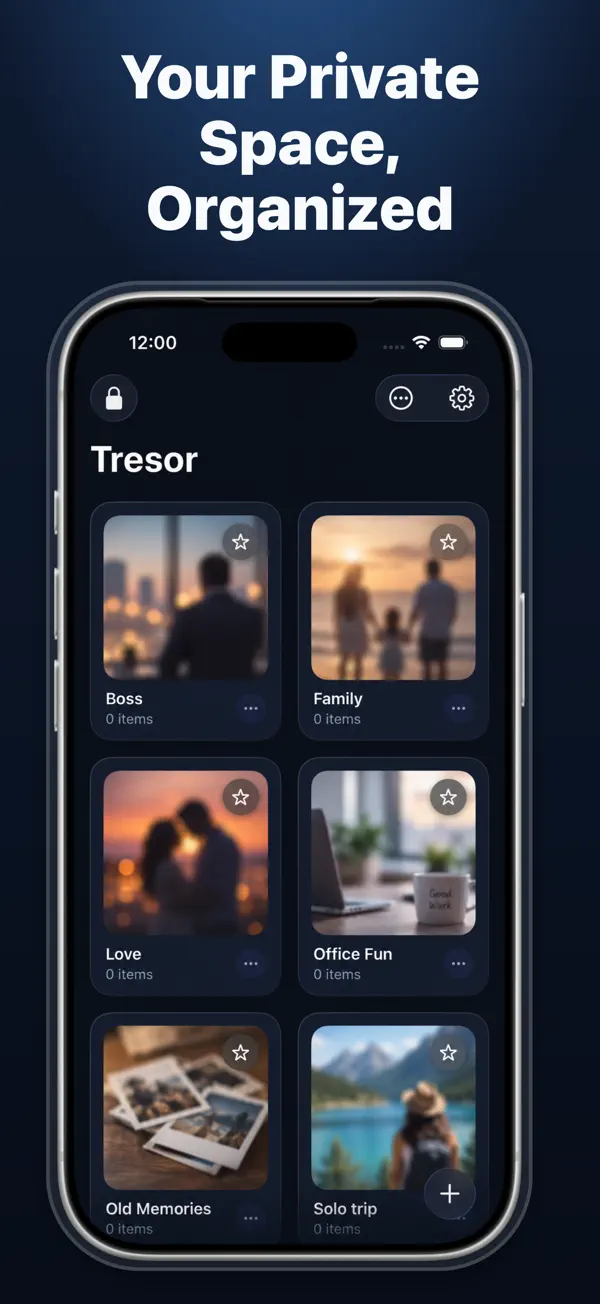
A private sanctuary for the photos and videos you don't want sitting in your main library. Per-album PIN locks, decoy emergency passcodes, and break-in intruder selfies.
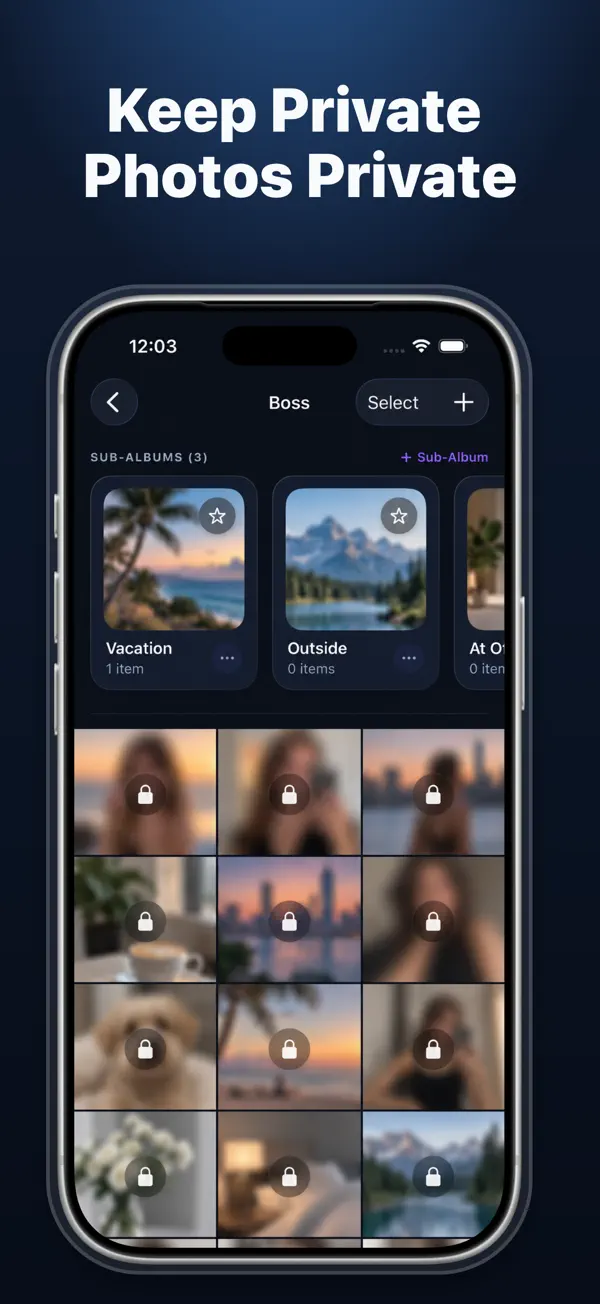
Some albums require more secrecy than others. With Tresor, you can assign unique, separate PIN codes to specific sensitive albums. Even someone inside your vault cannot view your deepest private folders without the secondary key.
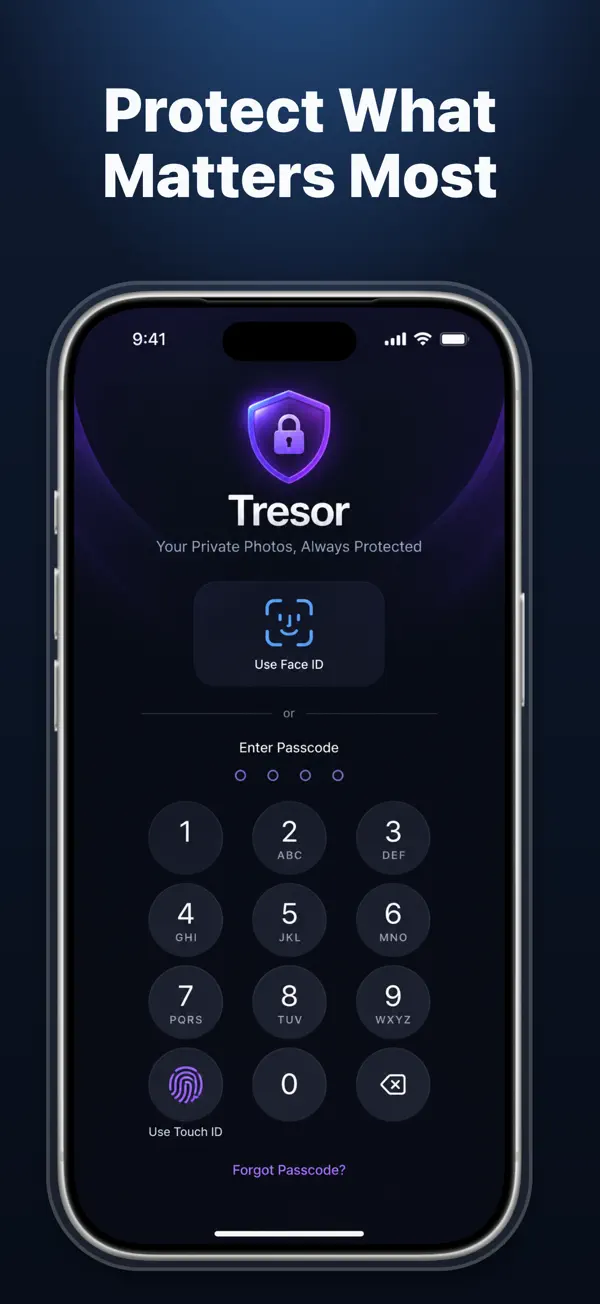
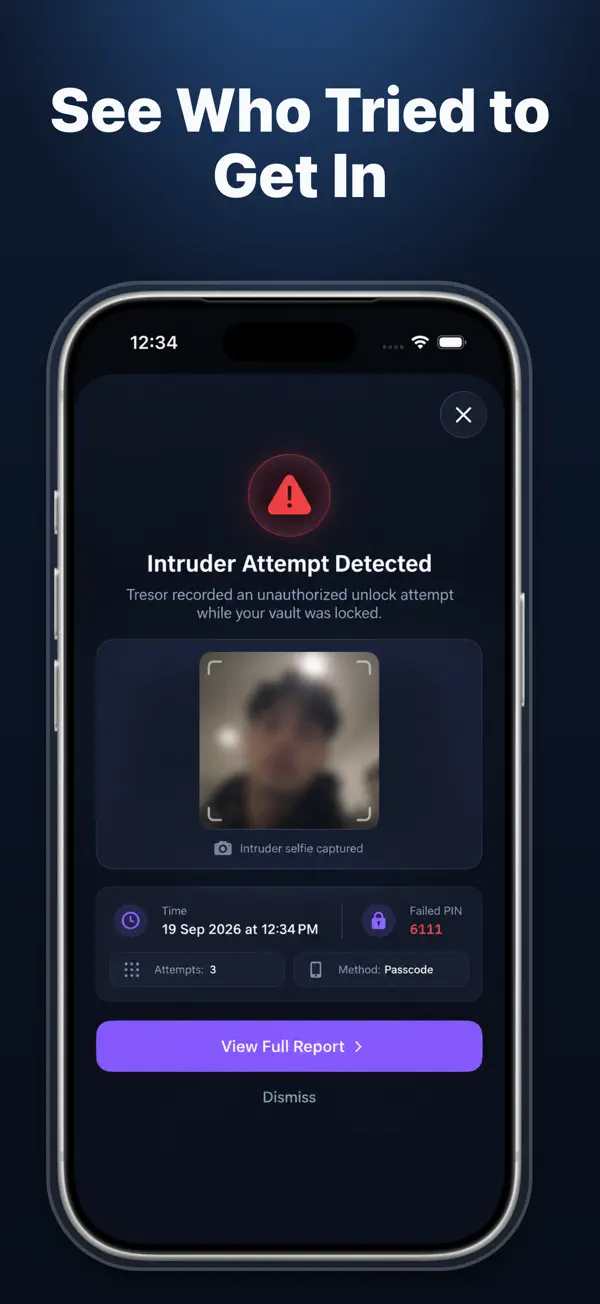
If someone pressures you to open your vault, enter your secondary Emergency PIN. Tresor opens a convincing dummy view with harmless placeholder content. Plus, failed access attempts trigger intruder selfies so you know who tried to peek.
Import photos and high-resolution videos directly from your iPhone library into isolated private vaults.
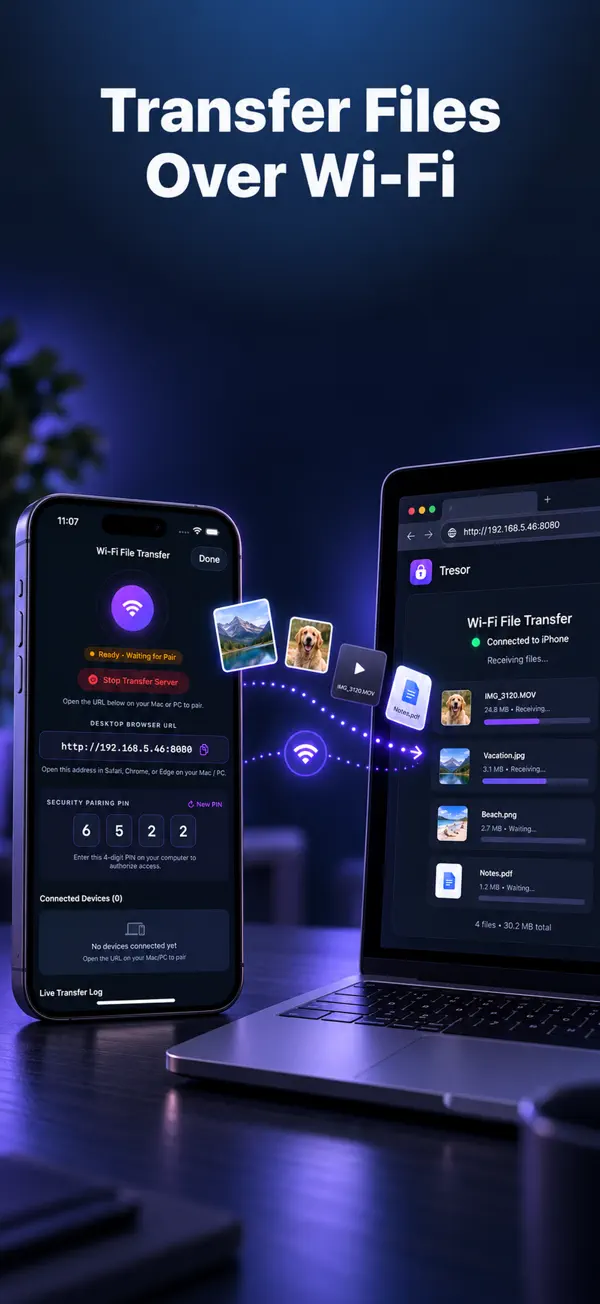
Transfer photos and videos directly between your Mac or PC and iPhone over your home Wi-Fi network without cloud servers.
Captures a front-camera selfie whenever an unauthorized visitor enters an incorrect passcode.
A secondary passcode that opens a dummy view with secondary photos, keeping your true vault 100% hidden.
Flick away from sensitive screens immediately with a single tap, locking the vault instantly.
Accidentally deleted a memory? Safely recover photos from your vault trash before they are permanently purged.
All purchases managed securely through your Apple ID account.
Full PRO vault access
per month
Billed annually
per year · billed annually
Own it forever
one-time payment
| Developer | Nitin Gohel / Appreator Technologies LLP |
|---|---|
| Current Version | v4.0 |
| App Store Rating | 3.8 / 5.0 (8+ Ratings) |
| Supported Devices | iPhone (iOS 16.0+), Mac (Apple M1+ macOS 13.0+), Apple Vision (visionOS 1.0+) |
| Security & Privacy | 100% Offline Vault, AES Hardware Encryption, Biometric Face ID, Zero Cloud Tracking |
| Price | Free to Download (Optional PRO from $0.99) |
| App Store Link | View on Apple App Store → |