Copied
ClipBox ClipBox PRO Free Download
Saves your Text & Notes automatically.

Smart Clipboard History & Sync
for Mac, iPhone & iPad.

ClipBox automatically saves everything you copy — text, links, photos, files & code snippets. Search instantly, trigger Smart Actions, and sync seamlessly across Apple devices with local privacy.

Text 2m ago
Weekend grocery list
Oat milk, avocados, sourdough, feta, cherry tomatoes…
Pinned Copy
Smart Action 1h ago
Flight AI771 · Gate D3
Seat 14A · Departs 16:45 · On Time
Track Flight
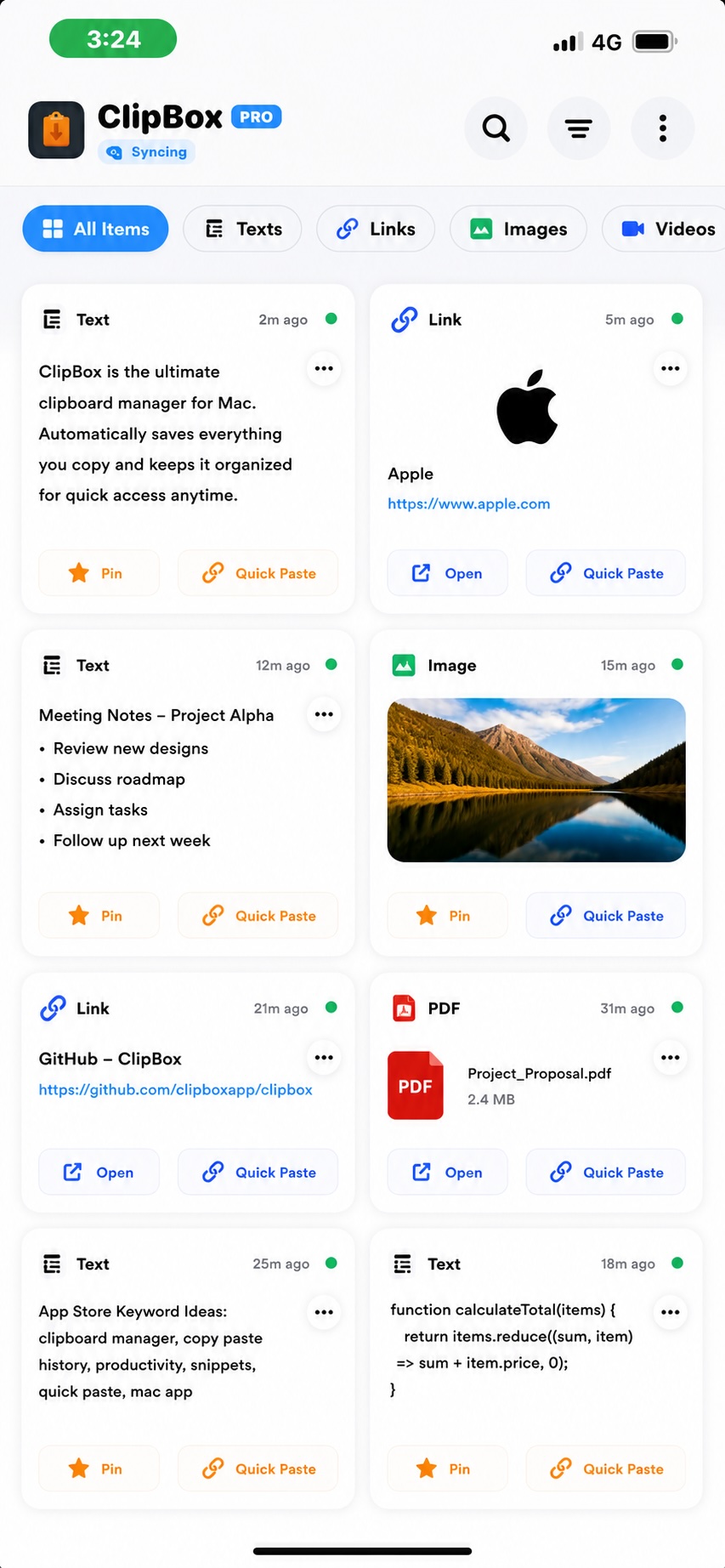
ClipBox on iPhone
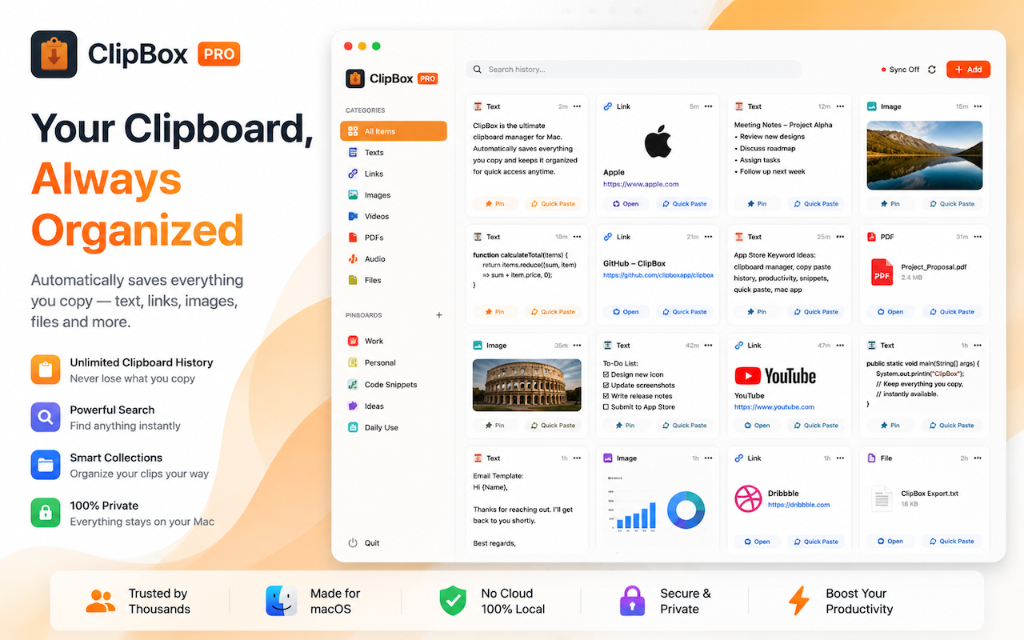
ClipBox on Mac
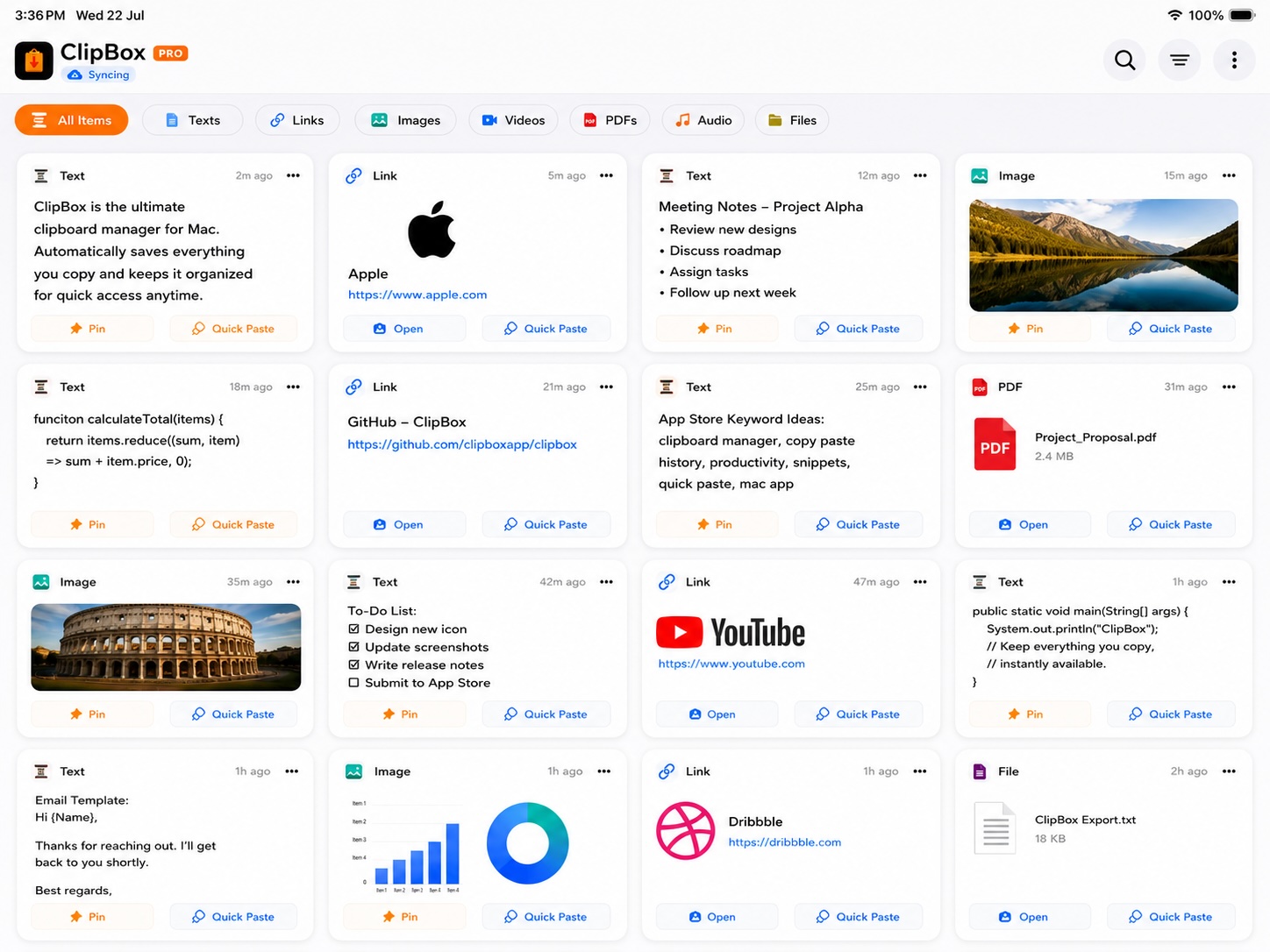
ClipBox on iPad
macOS
iPhone
iPad
Rated on App Store
Free to Download
Text & Notes
Web Links
Photos & Images
Videos
PDF Documents
Audio Files
Smart Actions
Color-coded Pinboards
iCloud Sync
Password Shield
Text & Notes
Web Links
Photos & Images
Videos
PDF Documents
Audio Files
Smart Actions
Color-coded Pinboards
iCloud Sync
Password Shield
What ClipBox Does

Built for how you actually work.

Not just a clipboard history — a searchable, intelligent library that remembers everything and knows how to act on it.

Core Feature
Visual Clipboard Library
Every clip displays as a rich card — showing the content type, preview, title, timestamp, and available actions. Search across everything, filter by type, or browse by Pinboard. Nothing is ever just a plain list.
Text
Invoice #INV-2089 due July 31…
Link
Notion — Q3 Roadmap
PDF
Lease_Agreement.pdf
Premium
iCloud Sync.
No effort.
Copy on Mac. Pick up your iPhone. It's already there. Sync runs through your private Apple iCloud — never our servers.
Mac
iPhone
iPad
Intelligence
Smart Actions — clipboard-aware intelligence.
ClipBox reads what you copied and surfaces the right action automatically — track a flight, open in Maps, call a number, add a reminder. No searching required.
Track Flight Track Package Open in Maps Call Number Add Reminder Send Email
Organization
Pinboards for every part of your life.
Create color-coded boards — Work, Travel, Shopping, Recipes. Pin the clips you reach for most. Everything stays exactly where you expect it.
+ unlimited
Security
Password Shield
Detects and silently blocks clipboard data from Apple Passwords, 1Password, and Bitwarden — before it enters ClipBox.
macOS
Always-on Menu Bar
ClipBox lives in your Mac's menu bar. Press a hotkey from any app to instantly open your full clip history — without switching windows.
iPhone & iPad
ClipBox Keyboard
A custom iOS keyboard that pastes your saved clips directly inside any app — Messages, Notes, Mail — no app switching needed.
Made for Real Life

Everyday moments,
handled smarter.

ClipBox understands what you copied and helps you act on it in one step — no hunting, no switching apps.

Planning a Trip
Copy a flight number — ClipBox offers to track it. Save hotel addresses and open them in Maps with one tap. Your whole trip lives on one board.
Grocery Shopping
Build a Shopping pinboard throughout the week. Open ClipBox at the store and everything is already there — organized, ready to use.
Working Remotely
Copy a meeting link on Mac, join on iPhone. Paste a code snippet into a mobile note. Your clipboard travels between devices instantly.
Tracking Orders
Copy a tracking number from an email. ClipBox recognizes it and adds Track Package. One tap, real-time status — no searching required.
Every Apple Device

Native on every device
you own.

Not a web app. Not a port. ClipBox is built natively for each Apple platform — using every capability the OS provides.

macOS — Native Mac App
Always running.
Always capturing.
ClipBox monitors your clipboard automatically from the menu bar — even when the main window is closed. One hotkey opens everything.
  • Automatic background clipboard monitoring
  • Menu bar quick-access with search
  • Global hotkey — open from any app
  • Password Manager Shield — blocks secrets
  • Touch ID + Apple Watch biometric lock
  • Three-column desktop layout
Download for Mac
iPhone & iPad — iOS App
Your clipboard
in your pocket.
Share extension, custom keyboard, and Home Screen widget — ClipBox fits perfectly into how you use your iPhone, with no friction.
  • Custom ClipBox keyboard for any app
  • Share extension — save from Safari, Mail, any app
  • Home Screen widget with recent clips
  • Face ID and Touch ID biometric lock
  • Recycle Bin — restore deleted clips
  • Adaptive layout for iPhone and iPad
Download for iPhone & iPad
Privacy by Design
Your clipboard.
Completely yours.

ClipBox is built local-first. Your data lives on your device and your private iCloud — it has never touched a third-party server. We don't analyze, profile, or sell your clipboard content.

Local-First Storage
Private iCloud Sync
Password Shield
Biometric App Lock
Password Manager Shield
Automatically detects and blocks clipboard data from Apple Passwords, 1Password, and Bitwarden — protected items never enter ClipBox, ever.
Simple by Design

From copy to paste
in three steps.

1
Copy Anything, Anywhere
Press Command+C on Mac or save via the Share Extension on iPhone. ClipBox captures text, links, images, videos, PDFs, and audio — automatically, with no extra steps.
2
Organize Into Boards
ClipBox groups clips by type automatically. Create color-coded Pinboards for projects, trips, or habits. Pin the ones you reach for most.
3
Search, Paste and Act
Find any clip instantly with search. Paste it on any device via iCloud sync. Let Smart Actions handle the rest — track flights, open maps, call numbers.
User Stories

People who rely on
ClipBox every day.

★★★★★

"I used to lose important notes, addresses, and links constantly. ClipBox fixed that permanently. Everything I've ever copied is always there — searchable, ready to use. Can't imagine my workflow without it."

R
Riya Sharma
Content Creator · Mumbai
★★★★★

"The iCloud sync works flawlessly. I copy something on my Mac and reach for my iPhone — it's already there. The Smart Action for tracking packages changed how I handle orders."

A
Arjun Mehta
Product Manager · Bangalore
★★★★★

"I travel for work every week. ClipBox is how I manage flight numbers, hotel addresses, and booking references all in one place. The flight tracker is genuinely indispensable."

P
Priya Nair
Management Consultant · Pune
Plans & Pricing

Start free. Upgrade
when you are ready.

Free to download. Subscribe for unlimited history, iCloud sync, and all Premium features — cancel anytime in the App Store.

Monthly
Full access · month to month
$1.99
per month · billed monthly
  • Unlimited clipboard history
  • Smart Actions
  • iCloud cross-device sync
  • Cancel anytime
Subscribe Monthly
Lifetime
One-time · own it forever
Contact
Sales
one-time payment · team plans available
  • Permanent Premium license
  • All current and future features
  • Team and volume licensing
  • No subscriptions, ever
Contact Sales
FAQ

Questions answered.

Is ClipBox free to download?
Yes — ClipBox is free on the Mac App Store and iOS App Store. The free plan includes clipboard history, search, filters, manual add, and up to 3 Pinboards. Premium adds unlimited history, iCloud sync, Pinboards, and more.
How does iCloud sync work and is my data private?
ClipBox syncs using your own private Apple iCloud account via CloudKit — not our servers. Your clipboard data is encrypted and travels directly between your devices. We never see, store, or analyze your content.
Will ClipBox accidentally save my passwords?
No. Password Manager Shield is on by default on macOS and automatically blocks clipboard data from Apple Passwords, 1Password, and Bitwarden before it enters ClipBox. Protected items are never stored, previewed, or synced.
Why does iPhone not auto-capture in the background?
Apple's iOS privacy policy restricts all apps from monitoring the clipboard in the background — this applies to every clipboard app. On iPhone and iPad, ClipBox uses the Share Extension, Custom Keyboard, and manual save instead.
How do I get a Lifetime license?
Email us at admin@appreator.com. Our team at Appreator Technologies LLP will get back to you with pricing and options within 24 hours.
Stop losing the things
you copy.

ClipBox captures, organizes, and syncs every clip — silently, privately, and instantly. Free to start.